Verifying mDocs in the Browser: A Deep Dive into ISO 18013-5

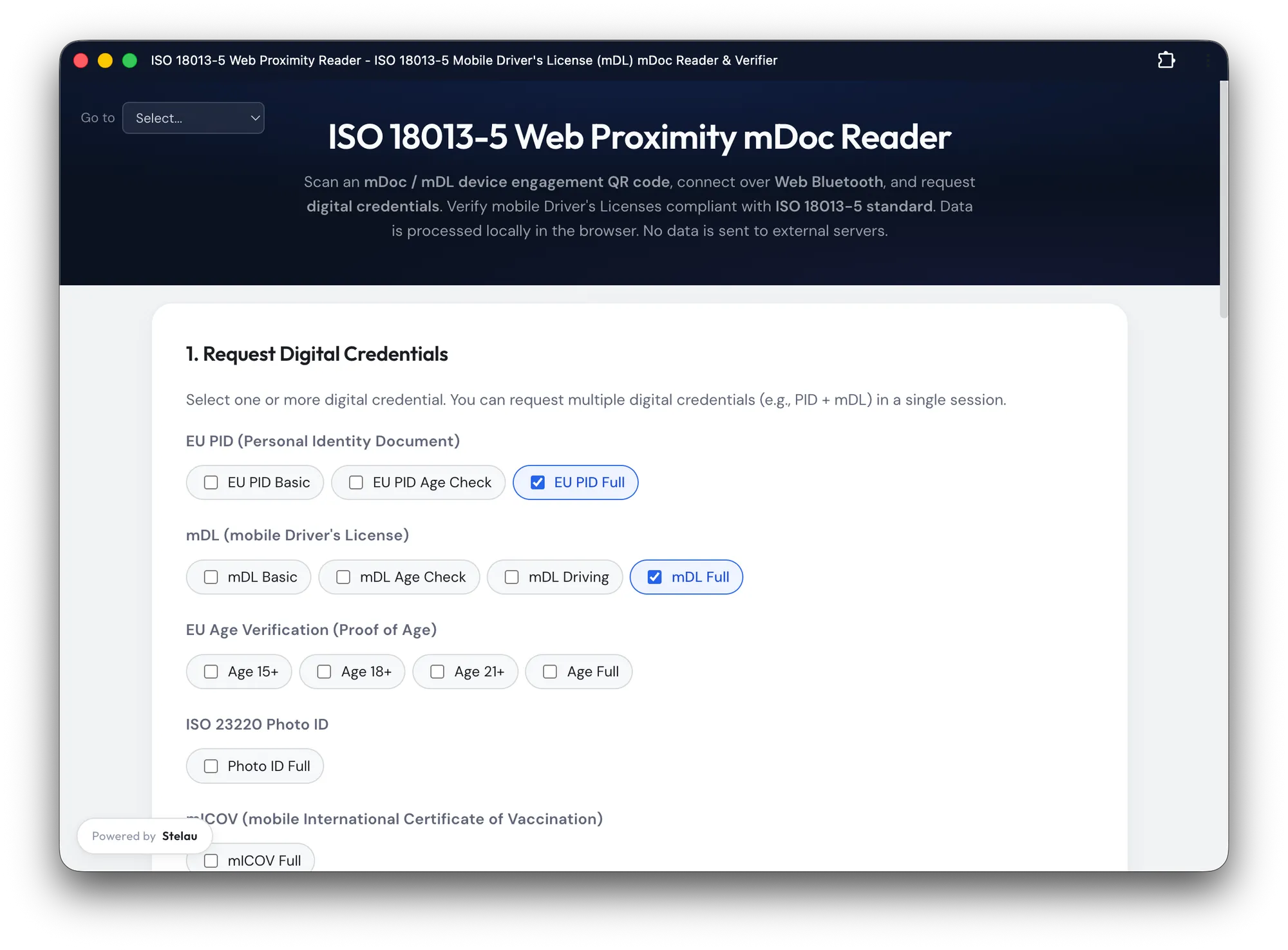
stelauconseil/mdoc-web-verifier
Mobile documents — mDLs, EU PIDs, age verification attestations — are coming. Wallets are being deployed across Europe as part of the EUDI regulation. But actually verifying one of those credentials, end-to-end, from a QR code scan to a cryptographic proof check, is surprisingly non-trivial.
This post is a technical walkthrough of mdoc-web-verifier, an open-source browser-based verifier we built at Stelau that implements the full ISO 18013-5 reader side — entirely client-side, no server, no backend, no data leaving the browser.
What ISO 18013-5 Actually Defines
ISO 18013-5 is the standard for mobile driving licences (mDL), but the protocol layer it defines — device engagement, session establishment, encrypted request/response, issuer authentication — has become the de facto transport for the broader mDoc ecosystem including EU PIDs.
At a high level, a verification flow looks like this:
- The wallet displays a Device Engagement QR code (CBOR-encoded, base64url URI)
- The reader parses it to get the wallet’s ephemeral public key and BLE parameters
- Both sides perform ECDH key exchange to derive session keys
- The reader sends an encrypted credential request over BLE
- The wallet responds with a COSE_Encrypt0 payload containing the signed document
- The reader decrypts, verifies the issuer signature, and validates value digests
Everything runs over Bluetooth Low Energy, with CBOR as the wire format and COSE for all signing and encryption. Let’s go through each layer.
Parsing the Device Engagement QR Code
The QR code contains a URI like mdoc:owBjMS4wAYIB... (base64url-encoded CBOR). Parsing it is the first challenge — the CBOR is often doubly-encoded (tagged type 24 wrappers):
// From device-engagement.js
export function parseDeviceEngagement(uri) {
  // Strip the "mdoc:" scheme and any laser scanner artifacts
  const raw = uri.replace(/^mdoc:/, "").replace(/\s/g, "");

  // Decode base64url → bytes → CBOR
  const bytes = base64urlDecode(raw);
  let engagement = CBOR.decode(bytes);

  // Handle CBOR Tagged (type 24) double-encoding
  if (engagement instanceof CBOR.Tagged && engagement.tag === 24) {
    engagement = CBOR.decode(engagement.value);
  }

  // Extract BLE parameters: service UUID, device address
  const bleOptions = extractBleOptions(engagement);
  // Extract wallet's ephemeral EC2 public key (COSE_Key format)
  const eDeviceKey = extractEDeviceKey(engagement);

  return { engagement, bleOptions, eDeviceKey };
}
The eDeviceKey here is the wallet’s ephemeral public key, encoded as a COSE_Key structure — a CBOR map with numeric keys defined by RFC 9052. Key type 2 = EC2, curve 1 = P-256.
Session Establishment: ECDH + HKDF
Once we have the wallet’s ephemeral public key, we generate our own ephemeral key pair and perform ECDH to derive a shared secret. This shared secret is then fed into HKDF to produce two session keys — one for each direction.
// From session-establishment.js
export async function establishSession(eDeviceKeyCoseKey, docTypes) {
  // 1. Generate reader ephemeral key pair (P-256)
  const readerKeyPair = await crypto.subtle.generateKey(
    { name: "ECDH", namedCurve: "P-256" },
    true,
    ["deriveKey", "deriveBits"]
  );

  // 2. Import wallet's public key from COSE_Key
  const eDeviceKeyJwk = coseKeyToJwk(eDeviceKeyCoseKey);
  const eDevicePublicKey = await crypto.subtle.importKey(
    "jwk", eDeviceKeyJwk,
    { name: "ECDH", namedCurve: "P-256" },
    false, []
  );

  // 3. ECDH → shared secret (32 bytes for P-256)
  const sharedSecretBits = await crypto.subtle.deriveBits(
    { name: "ECDH", public: eDevicePublicKey },
    readerKeyPair.privateKey,
    256
  );

  // 4. Build SessionTranscript (per ISO 18013-5 §9.1.5.1)
  //    This is the HKDF "info" and serves as AAD for the encrypted channel
  const sessionTranscript = buildSessionTranscript(
    engagement,
    readerKeyPair.publicKey
  );
  const transcriptBytes = CBOR.encode(sessionTranscript);

  // 5. Derive session keys via HKDF-SHA256
  //    Two keys: SKReader (reader→device) and SKDevice (device→reader)
  const skReader = await hkdfDerive(sharedSecretBits, transcriptBytes, "SKReader");
  const skDevice = await hkdfDerive(sharedSecretBits, transcriptBytes, "SKDevice");

  // 6. Build encrypted request, return CBOR-encoded session data
  const encryptedRequest = await buildEncryptedRequest(docTypes, skReader);
  return { sessionData: encodedSessionData, skDevice };
}
The SessionTranscript is important: it binds the session keys to the specific engagement — preventing replay attacks across different sessions.
The Request: CBOR All The Way Down
A document request is a CBOR-encoded DeviceRequest structure listing the namespaces and data elements you’re asking for. For example, requesting age-over-18 from an mDL:
// From request-builder.js
function buildAgeOver18Request() {
  return {
    docType: "org.iso.18013.5.1.mDL",
    nameSpaces: {
      "org.iso.18013.5.1": {
        // Each element: [intentToRetain, requested]
        "age_over_18": [false, true],
        "portrait":    [false, false], // not requesting portrait
      }
    }
  };
}
This gets CBOR-encoded, encrypted with AES-256-GCM using SKReader, and sent over BLE. The IV is a counter — starting at 00000000000000000000000000000001 for the first message, incrementing for each subsequent one.
BLE Transport: Fragmentation and Resilience
Web Bluetooth has a practical MTU limit (typically 512 bytes, sometimes less). For a full document response, you can easily have 5-20KB of CBOR. The transport layer handles this with a simple framing protocol:
- Byte
0x01= continuation fragment - Byte
0x00= final fragment
On reception, we accumulate fragments and perform a dry-run CBOR decode to detect incomplete messages — rather than relying on a length prefix:
// From ble-transport.js
function isCompleteMessage(buffer) {
  try {
    CBOR.decode(buffer);
    return true; // successfully decoded = complete
  } catch {
    return false; // decode error = still waiting for more fragments
  }
}
This is elegant: it uses the self-describing nature of CBOR as a completeness check. No length framing needed.
Verifying the Response: COSE_Sign1 + Certificate Chain
The wallet’s response contains a DeviceResponse CBOR structure. Inside each document, the issuerSigned field contains:
issuerAuth— aCOSE_Sign1with the issuer’s signature over theMobileSecurityObjectnameSpaces— the actual data elements, each with a digest reference
Verification happens in two steps.
Step 1: Certificate Chain Validation
// From verification.js
export async function validateCertificateChain(coseSign1) {
  // Extract x5chain from COSE protected headers
  const certChain = extractX5Chain(coseSign1);

  // Parse each DER certificate (byte-level X.509 parsing)
  const certs = certChain.map(parseDerCertificate);

  // Walk the chain: each cert must be signed by the next
  for (let i = 0; i < certs.length - 1; i++) {
    const subject = certs[i];
    const issuer = certs[i + 1];
    const valid = await verifyCertSignature(subject, issuer);
    if (!valid) throw new Error(`Certificate chain broken at position ${i}`);
  }

  // Root must match a trusted IACA certificate
  const root = certs[certs.length - 1];
  const trusted = await isTrustedIACA(root);
  if (!trusted) throw new Error("Root certificate not in trusted IACA store");

  return certs[0]; // return the document signer cert
}
IACA (Issuing Authority Certificate Authority) root certificates are managed in localStorage and can be imported from PEM, DER, CBOR/COSE bundles, or VICAL lists.
Step 2: COSE_Sign1 Signature Verification
// From verification.js
export async function verifyCoseSign1(coseSign1, docSignerCert) {
  const [protectedHeader, , payload, signature] = coseSign1;

  // Reconstruct Sig_Structure per RFC 9052 §4.4
  const sigStructure = CBOR.encode([
    "Signature1",
    protectedHeader,        // protected header bytes
    new Uint8Array(0),      // external AAD (empty)
    payload                 // the MobileSecurityObject bytes
  ]);

  // Import the document signer's public key (from certificate)
  const publicKey = await importPublicKeyFromCert(docSignerCert);

  // Verify ECDSA signature
  // Handle both DER and raw (r||s) P1363 formats
  const normalizedSig = normalizeSignature(signature, publicKey.curve);

  return crypto.subtle.verify(
    { name: "ECDSA", hash: "SHA-256" },
    publicKey,
    normalizedSig,
    sigStructure
  );
}
One subtlety: wallets sometimes produce DER-encoded signatures, sometimes raw P1363 (r||s concatenated). We detect and normalize automatically. Additionally, some implementations produce non-canonical signatures with a high S value — we apply low-S normalization using the curve order.
Step 3: Value Digest Verification
Even after verifying the issuer’s signature, we must confirm that each disclosed data element actually matches the signed digest in the MobileSecurityObject:
// From verification.js
export async function verifyIssuerSignedValueDigests(issuerSigned, mso) {
  for (const [namespace, items] of issuerSigned.nameSpaces) {
    for (const item of items) {
      // item is a CBOR bstr wrapping { digestID, random, elementIdentifier, elementValue }
      const decoded = CBOR.decode(item instanceof CBOR.Tagged ? item.value : item);

      // Hash the entire IssuerSignedItemBytes (including random salt)
      const digest = await crypto.subtle.digest("SHA-256", item);

      // Compare against the signed digest in the MSO
      const signedDigest = mso.valueDigests[namespace][decoded.digestID];
      if (!bytesEqual(new Uint8Array(digest), signedDigest)) {
        throw new Error(`Digest mismatch for ${decoded.elementIdentifier}`);
      }
    }
  }
}
The random salt in each IssuerSignedItem is what enables selective disclosure — the issuer signs all digests upfront; the wallet reveals only chosen elements, and the verifier can check each one independently.
Privacy by Design: Zero Backend
The entire verification runs inside the browser using only:
- WebCrypto API — ECDH, HKDF, AES-GCM, ECDSA
- Web Bluetooth API — BLE transport (Chromium-based browsers only)
- @noble/curves — for non-canonical signature handling and Brainpool curves not supported by WebCrypto
- CBOR — wire format for everything
No credential data is ever sent to a server. The IACA certificates are stored in localStorage. The session keys are ephemeral and live only in memory. This makes the tool suitable for privacy-sensitive contexts: border control demos, age verification kiosks, even security audits.
Try It
The verifier is live at mdoc-verifier.stelau.com and the full source is on GitHub.
It supports mDL (ISO 18013-5), EU PID, ISO 23220 Photo ID, age verification credentials (15/18/21), vaccination certificates, and French student cards. The unlinkability test tab is particularly interesting for wallet developers — it detects whether your wallet reuses device keys across sessions, which would allow a verifier to track a user across multiple checks.
Nicolas Chalanset is co-founder at Stelau, working on open identity infrastructure for EUDI Wallets and ISO 18013-5. The mdoc-web-verifier is open-source under MIT.